Automatic Deposit & Withdrawal System for Matka Apps – How It Works
In any modern Matka app, fast and reliable payment processing is one of the most important features. Users want to add funds to their wallet quickly, check their balance instantly and request withdrawals without unnecessary manual processing.
This is where an automatic deposit and withdrawal system becomes useful.
Instead of depending completely on an admin to manually verify every payment and update every wallet transaction, an automated system can connect the payment process with the application's wallet and transaction system.
For a professionally developed Matka app, the complete setup can include the mobile application, admin panel, payment integration, wallet management, transaction history and automated payment verification in one system.

What Is an Automatic Deposit & Withdrawal System?
An automatic deposit and withdrawal system is a technology setup that helps manage wallet deposits and withdrawal requests with minimum manual work.
When a user wants to add money, the system can generate a payment request through the configured payment method. After the payment is successfully verified, the application can automatically update the user's wallet balance.
Similarly, when a user submits a withdrawal request, the request can be sent to the admin panel for verification and processing according to the platform's configured rules.
The main purpose is simple:
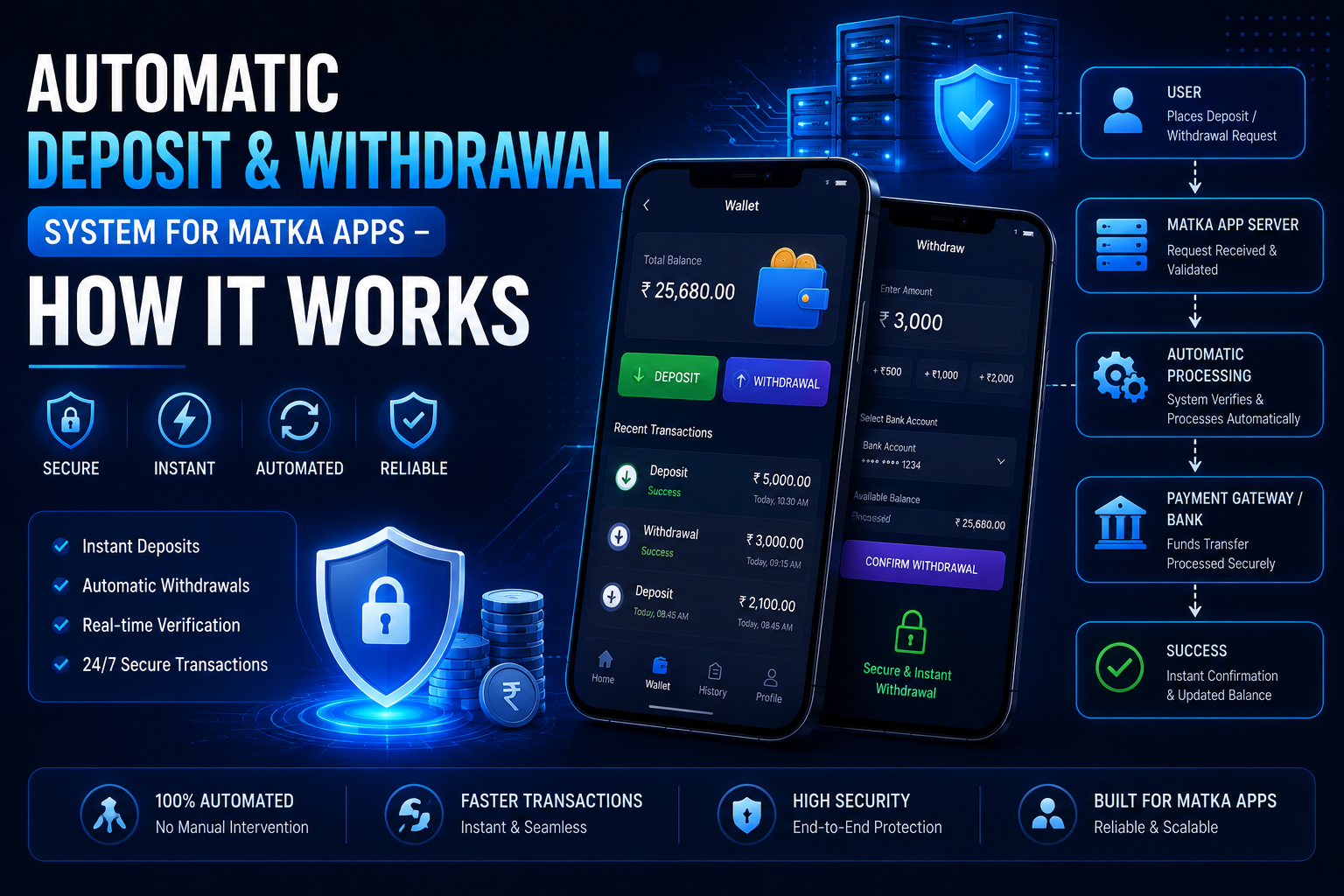
Payment → Verification → Wallet Update → Transaction Record
Everything is connected through the application backend.
How Automatic Deposit Works in a Matka App
Let's understand the deposit process step by step.
1. User Opens the Deposit Section
The user logs into the application and opens the Add Funds / Deposit section.
The user can enter the amount they want to add to their wallet.
For example:
Deposit Amount: ₹1,000
The application then creates a payment request.
2. Payment Request Is Generated
Depending on the payment integration used by the platform, the user may be redirected to a payment interface or shown available payment options.
The payment system processes the transaction and generates a transaction/reference ID.
This ID becomes important because the application needs to identify which payment belongs to which user.
3. Payment Verification
After the payment is completed, the backend receives payment status information through the configured integration.
The system checks important information such as:
- Transaction ID
- Amount
- Payment status
- User/account reference
- Order/reference number
- Timestamp
- Other verification parameters
Only after successful verification should the wallet be updated.
This is an important part of building a secure wallet system.
4. Wallet Balance Gets Updated
Once the payment has been verified successfully, the backend can automatically update the user's wallet.
For example:
Previous Balance: ₹500
Deposit: ₹1,000
New Balance: ₹1,500
The transaction is also recorded in the user's funds history and transaction history.
This means the user doesn't have to wait for an admin to manually check the payment every time.
5. User Receives Notification
After a successful deposit, the application can send a notification to the user.
For example:
"Your wallet has been credited successfully."
The notification system can also be used for failed payments, pending transactions and other important account updates.
Automatic Withdrawal System – How Does It Work?
Withdrawal automation works slightly differently from deposits because withdrawals involve moving funds out of the platform.
A properly designed system generally keeps the withdrawal process controlled through backend rules and admin verification.
The basic flow can look like this:
Withdrawal Request → Validation → Admin/Backend Verification → Processing → Status Update
Let's understand it in detail.
1. User Creates a Withdrawal Request
The user opens the withdrawal section and enters the required information.
The system can check:
- Available wallet balance
- Minimum withdrawal amount
- Maximum withdrawal amount
- Account/payment details
- Pending withdrawal requests
- Other configured rules
If everything is valid, the request is created.
2. Amount Is Reserved or Deducted
The backend should carefully handle the requested amount so the same balance cannot be used in multiple withdrawal requests.
For example:
Wallet Balance: ₹5,000
Withdrawal Request: ₹2,000
The system records the amount against the withdrawal request according to its wallet logic.
This is where proper backend development is very important.
3. Admin Gets the Withdrawal Request
The withdrawal request becomes visible inside the admin panel.
An admin can see information such as:
- User details
- Withdrawal amount
- Request date
- Transaction/reference ID
- Payment details
- Current status
The admin can then approve, reject or process the request depending on the platform's configuration and applicable rules.
4. Withdrawal Status Is Updated
After processing, the status can be updated as:
Pending → Processing → Completed
or, if something goes wrong:
Pending → Rejected/Failed
The user can see the latest status from the application.
This gives users a much better understanding of where their request currently stands.
Why Payment Automation Is Important?
Manual payment management becomes difficult when an application starts receiving a large number of transactions.
Imagine an admin manually checking hundreds of deposit screenshots every day.
It takes time and can also create mistakes.
With an automated payment workflow, the system can handle many routine tasks automatically.
Some major benefits include:
⚡ Faster Wallet Updates
Successful payments can be verified and reflected in the wallet without unnecessary manual delay.
📊 Better Transaction Tracking
Every transaction can have a unique reference and status, making it easier to track.
🔐 Better Control
The backend can apply predefined validation rules before updating wallet balances.
👨💻 Less Manual Work
Admins don't have to manually update every successful deposit.
📱 Better User Experience
Users get faster confirmation and can check their wallet and transaction history directly.
Important Features of an Automatic Payment System
A professional Matka app development project should not only focus on payment collection. The complete wallet and transaction architecture should also be properly planned.
Here are some important features.
1. Deposit History
Users should be able to see their previous deposits.
Information can include:
- Amount
- Date
- Transaction ID
- Payment method
- Status
2. Withdrawal History
The withdrawal section should display previous requests and their current status.
This improves transparency and makes account management easier.
3. Funds History
A proper funds history system can maintain a record of wallet credits and debits.
For example:
| Type | Amount | Status |
|---|---|---|
| Deposit | ₹1,000 | Success |
| Withdrawal | ₹500 | Completed |
| Bonus | ₹100 | Credited |
4. Transaction History
The transaction module keeps a detailed record of wallet-related activities.
This is especially useful for both users and administrators.
5. Payment Notifications
The application can notify users about:
- Successful deposits
- Failed payments
- Pending transactions
- Withdrawal updates
- Wallet changes
6. Admin Wallet Controls
The admin panel should provide proper controls for monitoring wallet transactions.
A Laravel-based admin panel can include dedicated sections for:
- Deposits
- Withdrawals
- Users
- Wallets
- Transactions
- Payment settings
- Reports
- Notifications
7. Secure Login & Admin Access
Payment-related information is sensitive, so the admin panel should have secure authentication and role-based access.
A sub-admin system can also be used when different staff members need different levels of access.
For example, one admin may manage markets while another handles payment-related requests.
How the Complete System Works
A simplified automatic deposit workflow can be represented like this:
User Opens App
↓
Selects Deposit
↓
Enters Amount
↓
Payment Request Created
↓
Payment Completed
↓
Backend Verifies Transaction
↓
Wallet Updated
↓
Transaction Recorded
↓
User Notification Sent
The withdrawal workflow is similar but normally includes additional validation and processing controls.
Automatic System vs Manual Payment Management
| Feature | Manual System | Automated System |
|---|---|---|
| Payment verification | Manual | Automated/Integrated |
| Wallet update | Manual | System controlled |
| Transaction tracking | Basic | Detailed |
| User notification | Manual | Automated |
| Admin workload | High | Lower |
| Processing speed | Slower | Faster |
| Error possibility | Higher | Reduced with proper validation |
Automation doesn't mean that every transaction should blindly be approved. A good system uses verification, validation and transaction-status controls before changing wallet balances.
Role of the Admin Panel
The admin panel is the control center of the application.
For a professionally developed platform, the admin dashboard can provide an overall view of:
- Total users
- Deposits
- Withdrawals
- Wallet activity
- Market management
- Profit & loss reporting
- Notifications
- Transactions
- Application settings
- Sub-admin management
A Laravel-based backend is also useful for building structured APIs, authentication, database operations and administrative functionality.


Security Considerations for Automatic Deposit & Withdrawal
Payment and wallet systems need strong security because incorrect wallet updates can create serious financial and operational problems.
Some important technical practices include:
🔒 Secure API Communication
Payment and backend APIs should use secure communication channels and properly authenticated requests.
🔒 Transaction Verification
The system should verify transaction details before crediting a wallet.
🔒 Unique Transaction IDs
Duplicate transaction processing should be prevented using unique references and proper database checks.
🔒 Server-Side Validation
Important payment and wallet calculations should happen on the server rather than trusting values received directly from the application.
🔒 Admin Permissions
Different admin roles should have different permissions.
🔒 Transaction Logs
Important wallet actions should be logged so administrators can investigate unusual activity when required.
Can Automatic Deposit & Withdrawal Be Integrated Into a Custom Matka App?
Yes, a custom application can be developed with a wallet and payment architecture designed around the business requirements and the payment provider's supported integration methods.
At Matka Development, we develop custom app solutions that can include:
- Matka mobile application
- Web application
- Admin panel
- Wallet system
- Payment integration
- Deposit & withdrawal modules
- User notification system
- Bid history
- Funds history
- Transaction history
- Game result history
- Live result system
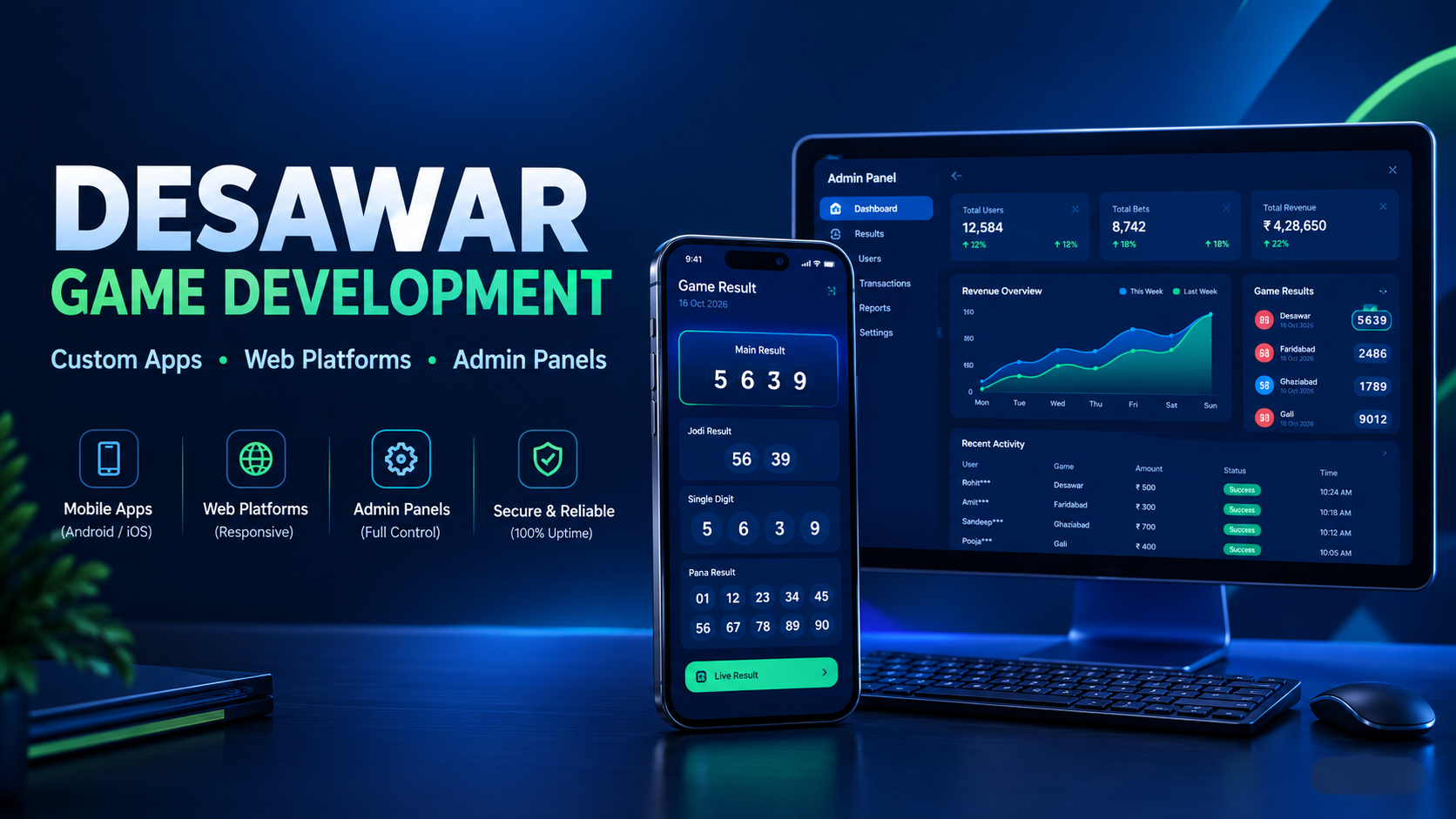
- Kalyan, Desawar & Starline modules
- Game rates
- Notice board
- Invite & earn functionality
- SEO-friendly website
- Domain setup
The exact payment functionality depends on the payment provider, applicable laws, and the project's compliance requirements.
Why Choose a Custom Payment & Wallet System?
Every business has different requirements.
A ready-made application may provide basic payment functionality, but a custom system allows developers to design the workflow around your requirements.
For example, you can decide:
- Deposit limits
- Withdrawal rules
- Transaction statuses
- Admin approval workflow
- Notification structure
- Wallet history format
- User permissions
- Admin permissions
- Reporting requirements
This makes the application easier to manage as the platform grows.
Final Thoughts
An automatic deposit and withdrawal system for Matka apps is more than simply adding a payment button.
It requires proper integration between the mobile app, backend server, wallet system, payment provider and admin panel.
When these components are properly connected, users can get a smoother payment experience while administrators get better control over transactions, wallet activity and reports.
If you are planning to build a custom Matka app with an admin panel, wallet system, payment integration and automated transaction management, choosing an experienced development team can make the complete process much easier.
Matka Development provides custom Matka app and software development solutions with mobile app, web app, admin panel and supporting backend systems.
Important: Payment, wallet and withdrawal functionality should always be implemented according to the payment provider's terms, applicable laws, and local regulations. Automated processing should include appropriate verification and compliance controls.
Read next on the blog
- Desawar & Starline Game Integration in Custom Matka Software Sep 17, 2026
- Satta Matka App Development & Matka Software Development 2026 Sep 11, 2026
- Secure User Notification System in Gaming Apps – Why It Matters Sep 5, 2026
- How to Secure Your Matka Admin Panel from Hackers – 10 Essential Steps Aug 20, 2026
- Cost to Develop a Matka App in India (App + Panel + Website) – 2026 Guide Aug 8, 2026
- How to Create a Matka Admin Panel on Laravel – Step by Step (2026 Guide) Aug 5, 2026